How to Get Your 23andMe Raw Data: Step-by-Step Instructions for 2026

Article at a Glance
- After a temporary pause, 23andme is once again allowing users to download their raw genetic data.
- Here is a step by step guide to access your file and some ideas with how to securely use it once it’s been downloaded.
Genes Mentioned
23andMe is still one of the biggest names in consumer genetics, and — despite a chaotic couple of years — you can still download your raw data file. If you tested with them, getting your genotype file is easy once you know where the button moved to. (They reshuffled this menu, so older walkthroughs, including an earlier version of this one, point you at the wrong place.)
Quick status note, since people ask: 23andMe filed for Chapter 11 in March 2025, and in July 2025 a nonprofit led by co-founder Anne Wojcicki — TTAM Research Institute — completed the purchase of its assets, so it now runs as a nonprofit. It is not shut down, and raw-data download still works. The practical takeaway is the whole reason this post exists: platforms change hands, so once you have your file, keep your own copy — for the backstory, see our earlier coverage.
For health nerds like me, raw data is gold. Here’s exactly how to get your file, what’s actually inside it, and what to do with it once it’s on your drive.
It’s also worth noting that at Gene Food we can score your 23andme or Ancestry raw data, and turn the insights into a nutrition plan, in under one minute.
How to get your 23andme raw data
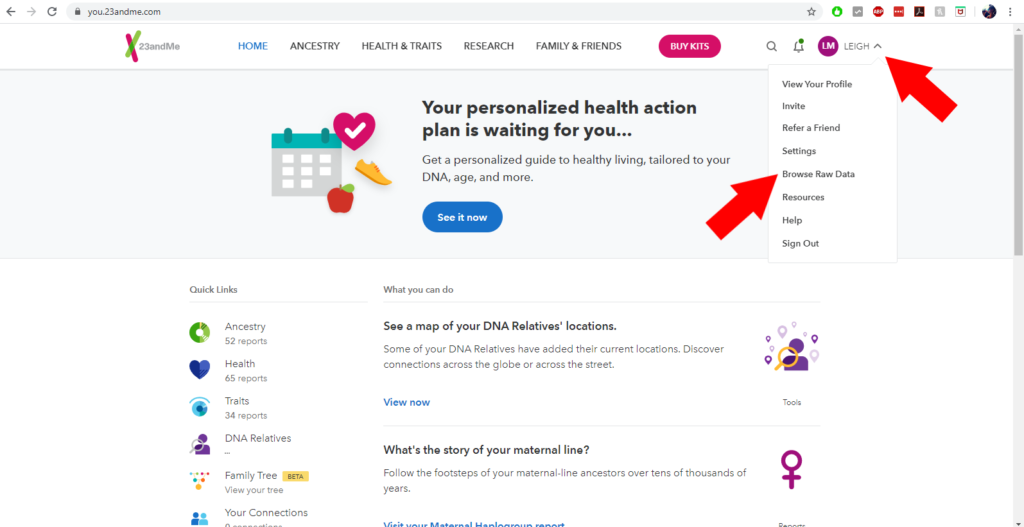
There are two ways to get at your genotype data, and the difference matters because they behave differently:
- Browse Raw Genotyping Data — view and download on screen, near-instant.
- The “23andMe Data” download request — the complete file, delivered by email after a wait.
Download the full file, step by step
- Log in at 23andme.com. Forgot your password? Use the reset link on the sign-in page. If more than one person shares the account, you’ll pick whose data you’re downloading in a moment.
- Click your profile (top right) and open Settings.
- Scroll to the “23andMe Data” section and click “View.”
- Confirm the date of birth tied to the profile you want. This is 23andMe’s identity check — and on multi-profile accounts, it’s where you choose whose data you’re pulling.
- Read the “important things to consider,” tick the consent box, and click “Submit request.”
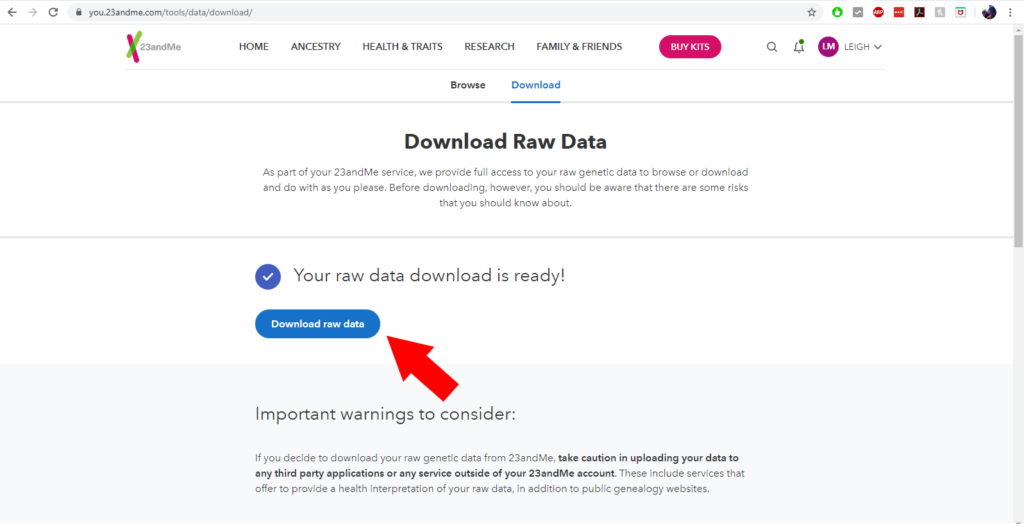
- Wait for the email titled “Your 23andMe raw data download is ready!” In the US this often takes about a week (occasionally up to 30 days); internationally it’s usually within 48 hours.
- Open the link in that email, confirm the birthdate once more, and download your file.
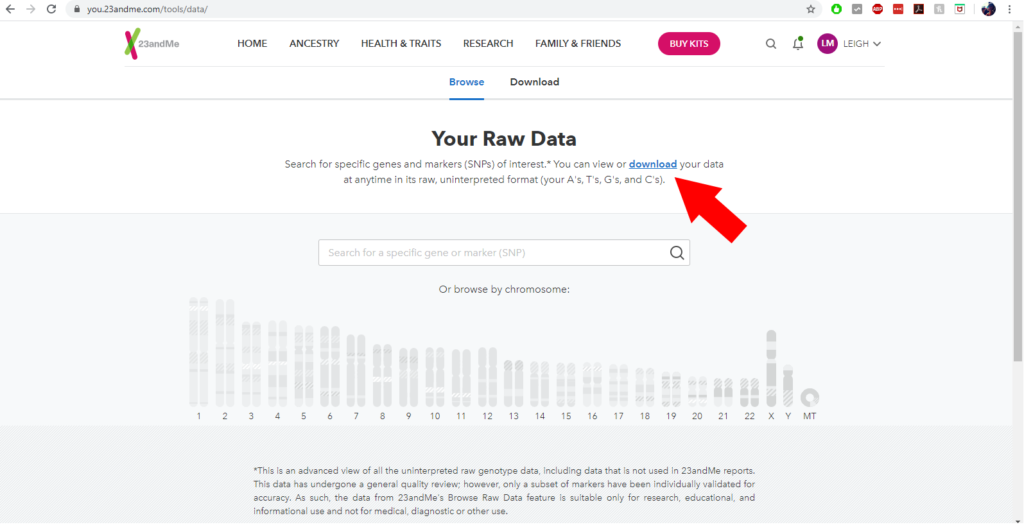
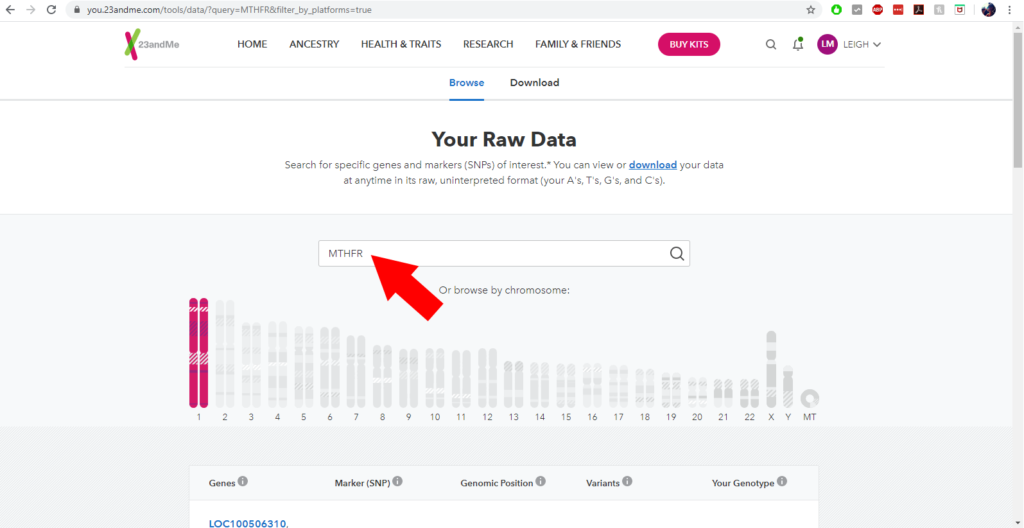
If you use two-step verification, you’ll clear that at login as normal. Prefer instant? Skip the request queue: from your profile menu go to Resources → Browse Raw Genotyping Data and hit Download at the top. That gives you the file (and an on-screen browser) without waiting on an email.
Because the download arrives by email and the entire point here is owning your own copy, grab it promptly and save it somewhere safe rather than counting on it staying put in your account.
Already tested with 23andMe, Ancestry, or MyHeritage? Upload your raw data and get your personalized diet type and health reports — in minutes, no new test needed.
Upload your raw dataWhat does your raw genetic data look like?
Open the file and it looks like nonsense — pages of A, T, C and G. Here’s how to actually read it.
- It downloads as a .zip. Inside is a single plain-text file named something like
genome_First_Last_<digits>.txt. If your computer auto-extracts zips, don’t hunt for the .zip — look for that .txt. (Lost it? Search your machine for “genome.”) - At the top you’ll see a block of comment lines that start with
#— metadata, and importantly which genome build the file uses. - Below that, the data is tab-separated into four columns:
rsid,chromosome,position,genotype. Each row is one marker: its reference SNP ID (likers1801133), the chromosome it sits on (1–22, X, Y, or MT), the position, and your genotype as two letters (AA,AG,CT, and so on). - Expect roughly 550,000–700,000 markers, depending on which chip version you were run on.
- A genotype of
--is a “no-call” — 23andMe couldn’t confidently read that marker. A scattering of these is normal. - Best way to open it: a plain-text editor (Notepad, TextEdit, Notepad++, VS Code). Excel opens it too, but it mangles some values — it loves turning a position or genotype into a date or a number. If you must use Excel, import it as text (Data → From Text/CSV, set the columns to Text) rather than double-clicking the file.
- One caveat that trips people up: the download is on GRCh37 (Build 37 / hg19) by default; the on-screen browser can optionally show Build 38. If you’re cross-referencing positions in dbSNP, assume Build 37 unless you deliberately switched.
Why you might want your raw genetic data
Once the file’s yours, you can dig around without the reporting limits 23andMe operates under. Because they actually run your sample, they’re legally constrained in what they can tell you; a plain text file isn’t.
Third-party tools pick up where 23andMe stops. Promethease is still running (reports are about $25 and take a few minutes) and cross-references your file against SNPedia — powerful, but rough around the edges without a science background. For friendlier options, see our roundup: Top 5 Sites for Processing Raw Genetic Data. And if you’re tempted to paste results into a chatbot, read this first — it’s easy to get confidently wrong answers.
My favorite low-tech workflow pairs your file with the NIH’s dbSNP database. Say you want to check MTHFR: search your file for the gene’s markers, copy an rsID — for example rs1801133 — and paste it into dbSNP. You’ll see how common each variant is across populations and get links to the published research on it. Same loop for any gene.
Things to consider before accessing
Two caveats before you go spelunking. First, accuracy: browsing or downloading gives you markers that never make it into 23andMe’s reports, and those aren’t individually validated the way report markers are. Don’t treat raw data as diagnostic. If you’re weighing which test to trust in the first place, our guide to the best DNA tests is a better starting point than chasing single SNPs.
Second, security: the moment you download the file, its safety is on you. Encrypt it and keep a copy offline — on an encrypted drive rather than a synced folder — so a breach of some random website isn’t a breach of your genome. And if you ever delete your 23andMe account, download first; deletion cuts off access.
Already tested with 23andMe, Ancestry, or MyHeritage? Upload your raw data and get your personalized diet type and health reports — in minutes, no new test needed.
Upload your raw data23andMe raw data FAQ
Can I still download my raw data in 2026? Yes. Despite the 2025 bankruptcy and the nonprofit TTAM takeover, 23andMe still lets you download your genotype file. Log in, open Settings, scroll to the “23andMe Data” section, and submit a request — or use Browse Raw Genotyping Data for an instant on-screen copy.
How long does the download take? It depends on the route. Browse Raw Genotyping Data gives you the file almost immediately. The full “23andMe Data” request is emailed — in the US that often takes about a week (up to 30 days at the outside), and internationally it’s usually ready within 48 hours.
Why won’t my file open, and what do I do with the .zip? The file downloads as a .zip containing a plain-text .txt. Unzip it — or, if your computer auto-extracted it, look for the .txt directly — then open it in a plain-text editor. Excel works only if you import it as text; otherwise it garbles some values.
Can I use this for medical decisions? No. The markers outside 23andMe’s official reports aren’t individually validated, so they can be wrong. Raw data is great for curiosity and cross-referencing research, but it isn’t diagnostic — take anything health-related to a clinician.
Do I lose the file if I delete my account? Yes. Deleting your 23andMe account removes your access to your data on their servers, so download and back up your file first. Once it’s on your own encrypted drive, deleting your account won’t touch your copy.